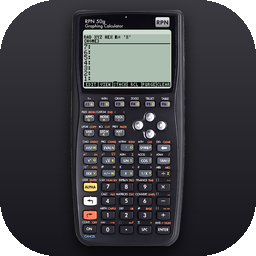
 RPN 50g
Test the apps on Android
What you get
The apps you choose, free: each comes with a Google Play promo code, and the app stays yours after the test, with its updates. They are the same calculators as on iPhone and Mac:
- RPN 50g (HP 50g, 49g+, emulator)
- RPN 49G (HP 49G, emulator)
- RPN 48 (HP 48GX, 48SX, emulator)
- RPN 12C (HP 12C, simulator)
- RPN 17bII+ (HP 17bII+, simulator)
- RPN 15C (HP 15C, simulator)
- RPN 35s (HP 35s, simulator)
- RPN 32sII (HP 32SII, simulator)
What we ask
- Install the apps you chose and keep them installed for at least 14 days, opening them now and then.
- Tell us what does not work, or works differently from the calculator: with the feedback link on the app's Play Store page, or by email, with your phone model and the keystrokes if you can.
What you need
- An Android phone or tablet with Android 8.0 or later and a 64-bit processor, as nearly all recent devices have.
- A Google account: the one you use in the Play Store.
How to join
- Write to info@pasahome.org with the address of your Google account and the apps you would like (all eight is fine).
- You receive by email the link to the test and one promo code per app.
- Open the link while signed in with that Google account and accept the invitation; redeem each code in the Play Store (your profile picture › Payments & subscriptions › Redeem code, or play.google.com/redeem), then install the app from its Play Store page.
Your address is used only to add you to the test in the Google Play Console and to send you the link and the codes. It is not shared with anyone else, and it is removed from the test on request. See the privacy policy.